Introduction
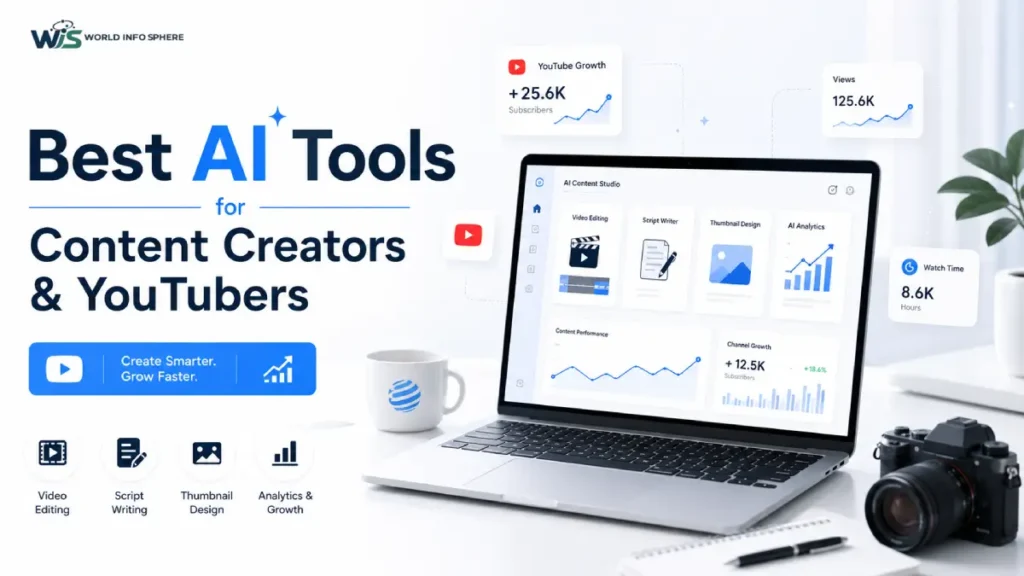
Today in this digital world, YouTube and social media content creation is growing very rapidly in the digital era. Every creator wants to be able to create more professional content in less time and reach a larger audience. The biggest game changer in this is Artificial Intelligence (AI Tools). AI tools are no longer just technology, but have become complete assistants for creators. They help in video editing, script writing, thumbnail design and even channel growth.
Now in this blog, we will see the Best AI Tools that will really be helpful for Content Creators & YouTubers.
Why are AI Tools Necessary for Content Creators?
In today’s digital world, there is a lot of competition in the field of content creation. Millions of videos, reels and posts are uploaded on social media every day, due to which it has become difficult for creators to stand out. In such times, AI tools have become an important helper for content creators. AI tools make video editing faster and easier, help in writing scripts and also provide creative content ideas. In addition, thumbnail design, auto-generating subtitles and optimizing YouTube SEO have also become easier now.
By using AI tools, creators can create high-quality content in less time and can also increase audience engagement. These tools automate repetitive work, due to which creators can focus more on their creativity and storytelling. As a result, the content becomes more professional, attractive and impactful.
Top AI Tools for Content Creators & YouTubers
1. ChatGPT – Script Writing AI
ChatGPT is a very powerful AI tool for YouTubers for script writing, video ideas and creating catchy titles. It helps creators in content planning so that they can create more engaging videos.
Example:
If you run a gaming channel, ChatGPT can give you “Top 10 Best Gaming Moments”, “Funny Gameplay Highlights” or viral video ideas, which attract the audience.
What is ChatGPT : How Does It Work? (Advanced Guide with Real Examples)
2. CapCut AI – Video Editing Tool
CapCut is a popular AI video editing tool that is very useful for both beginners and professionals. It makes the editing process fast and easy.
Features:
- Auto cut editing
- AI captions (auto subtitles)
- Smooth transitions
- Background effects and filters
Example:
If you have a raw video, CapCut AI can automatically cut it and create a professional looking video, in which subtitles are also auto added.
3. Runway AI – Advanced Video Generator
Runway is an advanced AI tool that provides the capability to generate videos from text. It is a future-level technology for creators.
Example:
If you write “sunset beach with waves and birds flying”, Runway AI can create a realistic video clip based on it, which makes content creation very powerful.
4. Pictory AI – Long Video to Short
Pictory AI is a very useful AI tool for converting long videos into short viral clips. This tool is especially helpful for YouTube creators.
Example:
If you have a 1-hour podcast, Pictory AI can automatically extract important highlights and convert it into YouTube Shorts or Instagram Reels, which increases the chance of going viral.
5. Descript AI – Voice + Video Editing
Descript is a very advanced AI tool for voice editing and podcast editing. It makes the editing process text-based for creators, so that both video and audio can be edited easily.
Features:
- Voice removal or editing
- Auto-generate subtitles
- Make podcast editing easy
Example:
If you have recorded a podcast and made a mistake, then in Descript AI you simply edit the text and the voice will also be updated automatically.
6. Canva AI – Thumbnail & Design Tool
Canva is the perfect AI tool for YouTubers to create thumbnails and social media designs. It makes the designs attractive and professional.
Example:
For videos like “Top 10 AI Tools”, you can use Canva AI to create bright colors, bold text, and eye-catching thumbnails, which helps increase clicks.
7. AI Voice Tools (ElevenLabs)
ElevenLabs is a very popular tool for creating realistic AI voiceovers. It generates natural human-like voices.
Example:
If you don’t want to record a video, you can create a direct professional voiceover through ElevenLabs AI voice by writing a script and using it in your video.
8. VidIQ AI – YouTube SEO Tool
vidIQ is a powerful SEO tool for YouTube channel growth and video ranking.
Features:
- Keyword research
- Video SEO score analysis
- Suggest trending topics
Example:
VidIQ AI shows you which topics are trending, so that you can create videos accordingly and get more views.
9. TubeBuddy AI – Channel Optimization
TubeBuddy is a useful AI tool for optimizing YouTube videos that helps in channel growth.
Example:
If you upload a video, TubeBuddy AI suggests you the best tags, titles, and descriptions, so that the video reaches more people.
10. AI Subtitle Generators
AI subtitle tools generate automatic captions for videos, which is very helpful for creators.
Benefit:
- Increases audience engagement
- Video reaches a global audience
- Content becomes accessible even for hearing-impaired users
- With these tools, creators can make their videos more professional, engaging, and viral.
How to Use AI Tools Smartly?
To use AI tools properly, creators should follow a clear workflow. First, prepare the script using AI tools, then do video editing in tools like CapCut or Runway. Then design an attractive thumbnail in Canva and finally optimize the video’s SEO with tools like VidIQ. This step-by-step process makes the content more professional and effective.
Related article:
Types of Artificial Intelligence (AI): Complete Beginner Guide (2026)
AI vs Human Intelligence: Complete Guide
Benefits of AI Tools
AI tools offer many great benefits to content creators. They save time and simplify repetitive work. Due to this, creators can create professional quality content in less time. AI tools also help in increasing creativity as they suggest new ideas and formats. Apart from that, they also speed up YouTube channel growth, due to which videos can reach more people.
Also read this: Top Free AI Tools You Must Use in 2026 for Productivity
Things to keep in mind
There are some important things to keep in mind while using AI tools. Creators should not depend 100% on AI because it is just an assistant. It is very important to keep your own originality and unique style in the content. AI is helpful, but without human creativity and thinking, content cannot be engaging.
FAQs (Frequently Asked Questions)
Do AI tools help YouTube grow?
Yes, AI tools are very helpful for YouTube growth as they provide support in SEO, editing and content ideas, which helps the channel grow faster.
Are AI tools free?
Yes, many AI tools offer a free version that is sufficient for beginners and small creators, while paid plans are also available for advanced features.
Is AI video editing possible?
Yes, AI video editing is possible. With the help of tools like CapCut and Runway, automatic editing, transitions and effects can be done easily.
Related post:
Future of the Digital World: How AI and Smart Technology Are Shaping Tomorrow
What is Technology? Trends, AI Technology and Latest News
How to Earn Money Online Using AI Tools
How Digital Technology is Changing Education in 2026: What Students Must Know
The Future of Education: Impact of AI and Digital Learning on Students
What Is a White Hat Hacker? Complete Guide for Beginners
Conclusion
In today’s digital age, AI tools have become a must-have for content creators. If used properly and smartly, YouTube channels can grow faster and content can become more professional. But always remember that AI is an assistant, not a replacement. True success comes when both AI tools and human creativity work together.