Table of Contents
Artificial intelligence is moving beyond answering questions and generating content. The next generation of AI tools can help users complete everyday tasks, manage workflows, and work across connected applications. Meta Muse is one of the latest developments in this space.
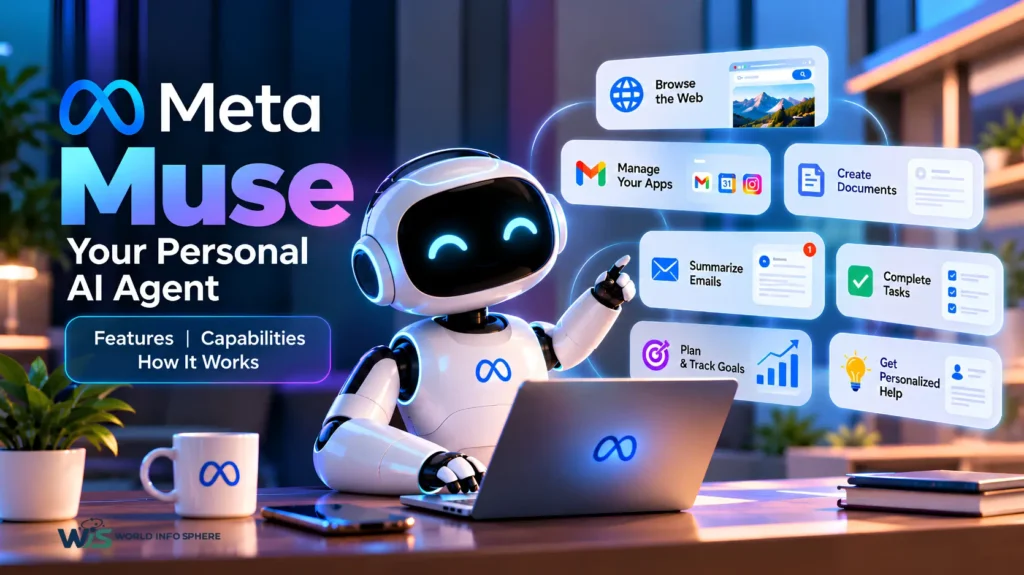
Meta Muse is a personal AI agent designed to help people get things done with less manual effort. It can browse the web, work with connected apps, create documents, assist with purchases, and manage multi-step tasks under user direction.
In this guide, we will explore what Meta Muse is, its key features, how it works, its privacy protections, and what users should know before getting started.
What Is Meta Muse AI?
Meta Muse is a personal AI agent developed by Meta. Unlike a traditional chatbot that mainly responds to prompts, Muse is designed to take action and complete tasks on a user’s behalf.
Users can describe a goal in a conversational way, and Muse can determine the steps required to work toward it. Depending on the task, permissions, and connected services, it can browse websites, retrieve information, create documents, and perform actions that would otherwise require several manual steps.
Meta introduced Muse in September 2026 as part of its broader effort to make personal AI agents more useful in everyday life.
How Does Meta Muse Work?
Muse uses agentic AI to interpret instructions, plan tasks, and carry out multiple steps. It can use a browser and supported app connections to complete work while keeping users involved in important decisions.
For example, a user could ask Muse to research a trip, compare options, organize the information, and prepare a plan. The agent can work through the task rather than simply returning a list of general suggestions.
Its capabilities depend on the services connected, the permissions granted, and the websites it can access.
How Is Meta Muse Different From a Traditional AI Chatbot?
A traditional chatbot generally focuses on responding to questions, explaining concepts, or generating content. An AI agent can go further by interacting with tools and performing actions across multiple steps.
Muse is designed to combine conversation, planning, browsing, and task execution. This makes it useful for workflows that involve more than a single question and answer.
What Are the Key Features of Meta Muse AI?
Meta Muse includes several capabilities designed to reduce repetitive work and help users manage everyday tasks.
1. Web Browsing and Task Automation
Muse can use its browser to navigate websites, fill out forms, and assist with online processes. It can also handle certain customer-service interactions.
These capabilities may help users research information, complete administrative tasks, and reduce the time spent switching between websites.
2. Connected Apps and Services
Muse can connect with supported services, including email, calendars, Instagram, and other apps through available integrations.
These connections allow the agent to use relevant information and perform tasks across supported workflows. The available functionality depends on the specific integration and permissions.
3. Background Task Execution
Muse is designed to continue working on assigned tasks even when the user is no longer actively interacting with it.
For example, users may ask it to monitor information, track a goal, or prepare an action plan. It can continue working in the background according to the task and available capabilities.
4. Personalized Assistance and Memory
Muse is designed to learn about a user’s goals, preferences, and ongoing activities through interactions.
This context can help it suggest relevant ideas and support longer-term projects. Users should still review its suggestions and manage what information and app access they allow.
5. Shopping and Online Purchases
Muse can help users research products, compare options, and assist with purchasing workflows.
Depending on the supported service and required permissions, it may take actions toward completing a purchase. Users should review important transaction details and approve actions when requested.
6. Document Creation and Research
Muse can help users research topics, organize information, answer questions, and create documents.
These capabilities can be useful for students, professionals, content creators, and people managing multiple projects. Important facts and sources should still be checked before using the output.
7. Goal Tracking and Proactive Suggestions
Users can give Muse a broader goal instead of a single task. It is designed to turn that goal into an action plan, track progress, and suggest useful next steps.
For example, someone planning an event might use it to organize tasks, prepare a schedule, and keep track of outstanding work.
How to Use Meta Muse AI
Getting started involves accessing Muse through an officially supported channel and deciding which tasks and services it should handle.
Step 1: Access the Official Muse Service
Visit the official Meta Muse website to check access options and supported platforms.
Step 2: Describe Your Task Clearly
Explain what you want to accomplish. Include relevant details, deadlines, preferences, and any restrictions.
For example, instead of saying “Plan my trip,” you could specify the destination, dates, budget, and preferred travel style.
Step 3: Connect Supported Apps
If your task requires information from email, a calendar, or another service, connect the relevant app using the available permissions.
Only grant access that is necessary for the task.
Step 4: Review the Proposed Actions
Check the plan, results, and important details. Muse is designed to request approval for certain sensitive actions, including some messages and purchases.
Step 5: Track Progress and Verify Results
Review the completed task and confirm that important actions were performed correctly. For bookings, purchases, and messages, verify the final details directly with the relevant service.
Is Meta Muse AI Free?
Meta states that Muse is available with a free usage limit. Users who reach that limit may be able to upgrade to a paid subscription or wait for their usage allowance to refresh.
Pricing, usage limits, and subscription options can change. Check the official Muse website for the latest details before choosing a plan.
Is Meta Muse AI Safe to Use?
Privacy and security are important considerations when using an AI agent that can interact with personal accounts and online services.
Meta says Muse uses a dedicated virtual machine, permission controls, and security protections designed to help safeguard user data and actions.
Its safeguards are intended to give users more control over what the agent can access and do. However, no technology should be treated as risk-free.
Users should follow these precautions:
- Connect only the accounts needed for a task.
- Review permissions before connecting a service.
- Approve sensitive actions carefully.
- Avoid sharing unnecessary personal or financial information.
- Check the agent’s activity and verify important transactions.
- Review the current privacy policy and security documentation.
These practices are particularly important when an AI agent can interact with email, calendars, shopping accounts, and other personal services.
Meta Muse vs. ChatGPT: What Is the Difference?
Both products can help users work with information and complete a range of tasks, but their capabilities and workflows differ.
| Feature | Meta Muse | ChatGPT |
|---|---|---|
| Main focus | Personal task execution | Conversational assistance and broader workflows |
| Research | Web browsing and supported tools | Research and browsing capabilities, depending on the available features |
| Task automation | Designed for multi-step personal tasks | Capabilities depend on available tools and integrations |
| App connections | Supported connected services | Available integrations and tools vary |
| User approvals | Permission controls for certain actions | Controls depend on the tool or action |
| Availability | Depends on supported regions and platforms | Depends on plan, region, and feature availability |
Neither tool is automatically the best choice for every task. The right option depends on the work you need to do, the integrations you use, and the level of control you want.
Who Can Benefit From Meta Muse AI?
Meta Muse may be useful for different types of users.
Students and Researchers
They can use it to organize research, gather information, prepare schedules, and structure project tasks. Important sources and academic claims still require verification.
Professionals
Professionals may use an AI agent to organize tasks, prepare documents, and reduce repetitive administrative work.
Content Creators
Creators can use supported AI capabilities for research, planning, and organizing content workflows. Creative decisions, fact-checking, and final editing remain important.
Small Business Owners
Business owners may benefit from help with research, administrative tasks, customer-service workflows, and planning. Actual business use depends on the integrations and actions supported.
What Are the Limitations of Meta Muse AI?
Although personal AI agents can save time, they still have limitations.
- Some websites may block automated access.
- Certain app integrations may not support every requested action.
- AI-generated information can be incorrect or incomplete.
- Complex instructions may need clarification.
- Sensitive actions require careful review.
- Access and features can vary by region and subscription.
For these reasons, users should treat Muse as a tool that assists with work rather than a system that should be trusted without supervision.
Frequently Asked Questions About Meta Muse AI
What is Meta Muse AI used for?
Meta Muse is designed to help users browse the web, work with supported apps, organize goals, create documents, research information, and complete multi-step tasks.
Can Meta Muse work in the background?
Yes. Meta describes Muse as capable of continuing assigned tasks in the background, even when the user is not actively interacting with it.
Can Meta Muse make purchases?
Muse can assist with supported shopping and purchasing workflows. Users should review the details and provide any required approvals before transactions are completed.
Is Meta Muse the same as Meta AI on Instagram?
Not necessarily. Meta Muse is a personal AI agent with task-execution capabilities. Other Meta AI experiences may have different interfaces, integrations, and features.
Can I use Meta Muse in India?
Check the official Muse website for current regional and platform availability. Access should not be assumed until the service confirms eligibility.
Is Meta Muse better than ChatGPT?
It depends on the task. Muse focuses on personal task execution, while ChatGPT offers a broad range of conversational, research, and tool-assisted capabilities. Compare the specific features available to you before deciding.
Conclusion
Meta Muse represents a significant step forward in personal AI agents, helping users move beyond simple conversations to complete everyday tasks. With capabilities such as web browsing, app integrations, research, document creation, and task automation, it can simplify workflows and improve productivity. However, users should consider its availability, reliability, and privacy controls before relying on it for sensitive tasks. As AI continues to evolve, Meta Muse highlights the growing role of intelligent automation in daily life. Human oversight remains essential to ensure accuracy, security, and responsible use.