Introduction
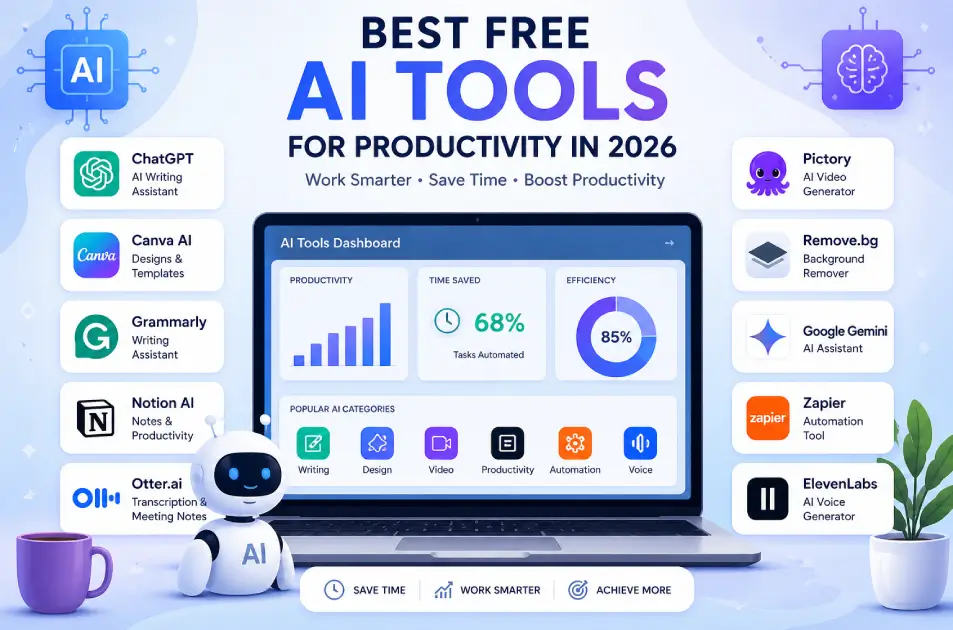
Technology is changing fast, and one of the biggest changes in 2026 is the rise of free AI tools. These tools are helping people work faster, smarter, and more efficiently.
Whether you are a student, freelancer, content creator, or business owner, using the best AI tools for productivity can save your time and improve your results.
Today, many powerful tools are available for free. You don’t need expensive software anymore. From writing content to designing graphics and automating tasks, AI tools for productivity are making work easier than ever.
In this blog, we will explore the top free AI tools you must use in 2026, along with their features, advantages, disadvantages, and real-life use cases.
1. ChatGPT (AI Writing & Productivity Tool)
One of the most popular free AI tools in 2026 is ChatGPT. It helps users create content, solve problems, and improve productivity using artificial intelligence. If you want to understand it better, read our detailed guide on What is ChatGPT and How Does It Work?.
Features
- Content writing
- Blog ideas and SEO help
- Code generation
- Question answering
Advantages
- Saves time in writing
- Easy to use
- Useful for students and professionals
Disadvantages
- Needs editing sometimes
- Free version has limits
Best for: Writing, learning, productivity
2. Canva AI (Design Tool)
Canva now includes AI features for fast design.
Features
- AI image generation
- Templates for social media
- Background remover
- Text-to-design
Advantages
- Beginner-friendly
- Fast design creation
- Free templates available
Disadvantages
- Premium elements locked
- Limited customization in free plan
Best for: Social media, blog images
3. Grammarly (AI Writing Assistant)
Grammarly helps improve writing quality.
Features
- Grammar correction
- Tone suggestions
- Clarity improvement
Advantages
- Improves writing quality
- Easy to use
- Works in browser
Disadvantages
- Advanced features paid
- Sometimes over-corrects
Best for: Content writing, emails
4. Pictory (AI Video Tool)
Pictory helps turn text into videos.
Features
- Text-to-video
- Auto captions
- Video editing
Advantages
- No editing skills needed
- Saves time
Disadvantages
- Limited free version
- Watermark in free plan
Best for: YouTube, reels
5. Notion AI (Productivity Tool)
Notion now includes AI features.
Features
- Note writing
- Task management
- AI summaries
Advantages
- All-in-one tool
- Improves organization
Disadvantages
- Learning curve
- Some features paid
Best for: Productivity, planning
6. Remove.bg (Image Tool)
Remove.bg removes image backgrounds instantly.
Features
- One-click background removal
- High-quality output
Advantages
- Fast and simple
- No design skills needed
Disadvantages
- HD downloads paid
- Limited free credits
Best for: Image editing
7. Otter.ai (AI Transcription Tool)
Otter.ai converts speech to text.
Features
- Voice-to-text
- Meeting notes
- Real-time transcription
Advantages
- Saves time
- Useful for meetings
Disadvantages
- Accuracy depends on audio
- Limited free minutes
Best for: Students, meetings
8. Google Gemini (AI Assistant)
Google Gemini is growing fast in 2026.
Features
- Research help
- Content ideas
- Smart answers
Advantages
- Fast and accurate
- Integrated with Google
Disadvantages
- Limited free usage
- Still improving
Best for: Research, productivity
9. Zapier (Automation Tool)
Zapier connects apps and automates tasks.
Features
- Workflow automation
- App integration
- No coding required
Advantages
- Saves time
- Reduces manual work
Disadvantages
- Free plan limited
- Complex for beginners
Best for: Business automation
10. ElevenLabs (AI Voice Tool)
ElevenLabs creates realistic voiceovers.
Features
- Text-to-speech
- Natural voice output
Advantages
- High-quality voice
- Useful for videos
Disadvantages
- Limited free usage
- Paid features required
Best for: YouTube, content creators
Why Use Free AI Tools in 2026?
Using free AI software has many benefits:
- Saves time
- Improves productivity
- Reduces manual work
- Helps in learning new skills
AI tools are becoming essential in daily work.
Disadvantages of AI Tools
- Over-dependence on AI
- Data privacy concerns
- Limited free features
Always use AI tools wisely.
Future of AI Tools
In the future:
- AI tools will become more powerful
- More automation will happen
- Work will become faster and smarter
AI is the future of productivity.
Conclusion
In 2026, using free AI tools is no longer optional — it is necessary. Whether you want to write content, design images, automate tasks, or improve productivity, AI tools can help you achieve more in less time.
Start using these best free AI apps today and improve your workflow.
The smarter you use AI, the more productive you become.
FAQs (Frequently Asked Questions)
1. What are the best free AI tools in 2026?
Some of the best free AI tools in 2026 include ChatGPT, Canva, Grammarly, Notion, and Google Gemini. These tools help with writing, design, productivity, and automation.
2. Are AI tools free to use?
Yes, many AI tools offer free versions. However, most platforms like Grammarly and ElevenLabs have premium features that require payment.
3. Which AI tool is best for content writing?
ChatGPT and Grammarly are among the best tools for content writing. They help with generating ideas, improving grammar, and enhancing clarity.
4. Can AI tools replace human work?
No, AI tools cannot fully replace humans. They are designed to assist and improve productivity, but human creativity, decision-making, and editing are still important.
5. Which AI tool is best for beginners?
Tools like Canva and Remove.bg are very beginner-friendly and easy to use without technical skills.
6. Are AI tools safe to use?
Most AI tools are safe, but users should be careful about sharing sensitive data. Always check privacy policies before using any AI platform.
7. What is the future of AI tools?
AI tools will continue to grow with better automation, smarter features, and deeper integration into daily work. Tools like Zapier already show how automation is transforming workflows.
8. Which AI tool is best for video creation?
Pictory is a great option for converting text into videos, especially for YouTube and social media content.