Table of Contents
Artificial intelligence has already changed how people search for information, write content, create images, and solve everyday problems. But the next stage of AI is moving beyond generating answers. Instead of simply telling you what to do, AI can now help carry out the steps required to achieve a goal.
Imagine asking an AI system to research your competitors, organize the findings, prepare a report, and create a list of practical recommendations. Rather than requiring you to guide every individual step, an AI agent can plan the workflow, use available tools, review the results, and continue working until it reaches a defined stopping point.
This is the idea behind autonomous AI agents.
AI agents are becoming an important area of AI development because they can combine reasoning, planning, memory, and software tools to complete multi-step tasks. However, their capabilities vary, and they still require appropriate permissions, monitoring, and human oversight.
In this guide, we will explore what autonomous AI agents are, how they work, how they differ from traditional chatbots, where businesses can use them, and what their growing capabilities mean for the future of work.
What Are Autonomous AI Agents?
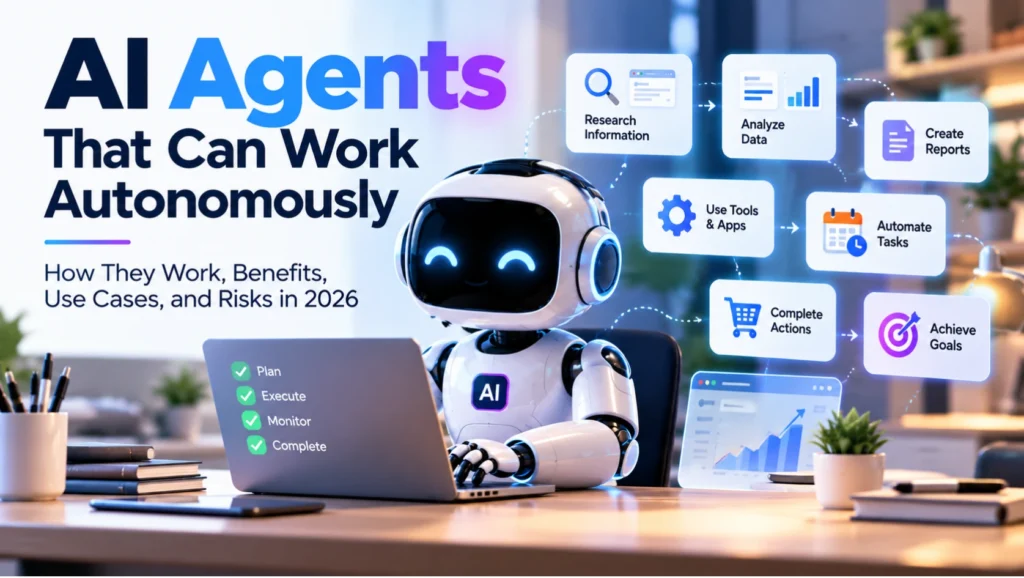
An autonomous AI agent is a software system that uses artificial intelligence to pursue a specific goal by deciding what steps to take and using available tools to carry them out.
Traditional AI applications often respond to a single request. For example, a chatbot can explain a topic, summarize a document, or write an email. An AI agent can take that output further by using connected tools to complete additional steps.
Suppose a business owner wants to understand why website traffic has declined. A conventional chatbot might explain common reasons for declining traffic. An AI agent with the appropriate access could examine analytics data, compare performance over time, identify pages with declining traffic, and prepare a report highlighting possible causes.
The important difference is that the agent works toward a defined outcome rather than producing only one response.
What Does Autonomous Mean in AI?
In AI, autonomy refers to the system’s ability to make decisions and perform actions without requiring continuous human instructions.
For example, an agent might independently decide to:
- Search for relevant information.
- Organize findings into categories.
- Use a connected tool to analyze data.
- Check whether the result meets the original goal.
- Try another approach if an action fails.
- Stop when the task is complete or when human input is needed.
Autonomy does not mean that the AI has unlimited freedom or human-like understanding. Its actions remain dependent on the model, tools, instructions, data, permissions, and safeguards provided to it.
Some agents can perform only a few predefined actions. Others can manage longer workflows involving several applications.
How Do AI Agents Work?
AI agents combine an AI model with tools, contextual information, instructions, and a process for deciding what to do next.
According to Google Cloud’s guide to AI agents, important building blocks include models, grounding, tools, data architecture, orchestration, and the environment in which the agent operates.
Let’s understand the process through a practical example.
Imagine asking an AI agent to prepare a competitor analysis for your business.
Step 1: Understanding the Goal
The process begins when a user gives the agent a goal.
For example:
“Research five competitors, compare their website services and content strategies, and prepare a report with recommendations.”
The agent needs to identify the intended outcome, relevant constraints, and information required to complete the task.
If the request is unclear, it may ask follow-up questions before proceeding.
Step 2: Creating a Plan
Once the goal is understood, the agent can break it into smaller tasks.
For a competitor analysis, the plan might include:
- Identify five relevant competitors.
- Visit their websites.
- Review their services and positioning.
- Examine available public content.
- Compare their strengths and weaknesses.
- Organize the findings into a report.
- Review the report for missing information.
This planning process helps the agent handle a complex request as a sequence of manageable actions.
The plan may also change when new information appears or an expected action fails.
Step 3: Selecting the Right Tools
An AI model alone cannot automatically access every website, application, or database.
To take action, the agent needs access to suitable tools. These might include web browsers, search systems, APIs, spreadsheets, databases, document editors, or business software.
For example, an agent researching competitors might use a browser to inspect websites and a spreadsheet tool to organize the information.
The tools available to the agent determine what it can actually do.
Step 4: Taking Action
After selecting a suitable tool, the agent performs an action and receives the result.
It might search for a competitor, open a webpage, extract relevant details, and save the findings.
The agent then uses the returned information to determine its next step.
This creates a repeating process: understand, plan, act, observe, and decide what to do next.
Step 5: Checking the Results
A useful AI agent should not simply assume that every action has succeeded.
It can examine tool responses, check whether expected information was found, and identify missing or inconsistent results.
For example, if a competitor’s website does not load, the agent might try another accessible source or mark that information as unavailable.
This does not guarantee accuracy. The agent can still misunderstand information, overlook evidence, or make incorrect judgments.
Step 6: Completing the Task or Asking for Help
When the agent has completed the requested work, it can present the result to the user.
If it encounters a problem, lacks permission, or reaches a decision that requires human judgment, it should stop and ask for assistance.
The user can then review the output, correct the instructions, or approve the next action.
This ability to repeat actions and respond to new information is what makes AI agents useful for many multi-step workflows.
What Is the Difference Between AI Agents and Traditional AI Chatbots?
Although AI agents and chatbots may use similar language models, they are designed for different types of work.
A traditional chatbot generally focuses on responding to questions and generating information. An AI agent can use tools and perform a series of actions toward a goal.
Consider the difference between asking for a social media content plan and asking an AI agent to help execute that plan.
A chatbot might generate thirty content ideas, captions, and hashtags. An appropriately configured agent could go further by organizing the calendar, checking approved brand information, preparing draft posts, and creating a report of completed tasks.
Whether it can publish the posts depends on the integrations and permissions available.
Here is a simple comparison:
| Feature | Traditional AI chatbot | Autonomous AI agent |
| Main purpose | Answer questions and generate content | Work toward a defined goal |
| Planning | Usually limited to the response | Can plan multiple steps |
| Tool usage | May be limited or optional | Uses tools as part of its workflow |
| Task execution | Often provides instructions | Can perform supported actions |
| Adaptability | Responds to new prompts | Can adjust its next action based on results |
| Human involvement | Usually prompt-driven | Can work independently within defined limits |
| Best suited for | Questions, explanations, brainstorming | Multi-step tasks and workflows |
These categories are not completely separate. Modern chatbots can also include agent capabilities, and some AI agents operate under strict predefined workflows.
Key Features of Autonomous AI Agents
Different AI agents have different capabilities. However, several features commonly make them useful for completing tasks independently.
1. Planning and Decision-Making
Planning allows an agent to divide a broad goal into smaller actions.
Instead of following only a fixed sequence, some agents can choose their next action based on the information they receive.
For example, an agent analyzing website performance may discover that most traffic losses come from a small group of pages. It can then focus its investigation on those pages rather than treating every page equally.
Its decisions are still limited by its instructions, available evidence, and model capabilities.
2. Tool Integration
Tool integration gives an agent the ability to interact with external systems.
Depending on its configuration, it might access:
- Web browsers and search engines.
- Email and calendar applications.
- Spreadsheets and document editors.
- Customer relationship management systems.
- Analytics dashboards.
- Internal databases and business APIs.
These integrations allow an agent to move from providing suggestions to carrying out supported actions.
For security, each integration should expose only the permissions necessary for the intended task.
3. Memory and Context
Memory helps an agent retain relevant information across different stages of a task.
Short-term context may include the user’s current request, the steps already completed, and information collected during the workflow.
Some systems also use longer-term memory to retain approved preferences, project details, or other useful information.
For example, a content-planning agent might use an approved brand guide to maintain consistent terminology and tone across multiple drafts.
Memory should be designed carefully. Incorrect, outdated, or unnecessary information can lead to poor decisions or privacy concerns.
4. Feedback and Error Recovery
Real-world tasks do not always proceed as expected.
A website may be unavailable, a tool may return incomplete information, or an application may reject an action.
Some agents can recognize these problems and try a different approach. Others may need to stop and ask for assistance.
For example, if a data export fails, an agent might retry once, check the error message, and report the issue rather than repeatedly attempting the same action.
5. Background and Long-Running Tasks
Some agents can continue working through a task after the user has submitted the initial request.
Depending on the system, this might involve researching a topic, processing a large collection of documents, or monitoring a defined workflow.
However, background execution is not a universal feature. It depends on the product, runtime environment, usage limits, and task configuration.
6. Collaboration Between Multiple Agents
More complex systems may use several specialized agents to work on different parts of a project.
For example, a marketing workflow could use:
- A research agent to collect information.
- A content agent to prepare drafts.
- An analysis agent to evaluate performance data.
- A coordinating agent to combine the results.
This approach can divide work into smaller responsibilities, but it also introduces additional complexity. The system needs clear roles, reliable communication, and checks to prevent errors from spreading between agents.
Real-World Applications of Autonomous AI Agents
Autonomous agents can be useful wherever a task involves multiple steps, changing information, and supported digital actions.
AI Agents for Marketing and SEO
Marketing teams often manage research, content planning, keyword analysis, reporting, and campaign coordination.
An AI agent can assist with several stages of this process.
For example, an SEO agent might:
- Collect keyword ideas from approved tools.
- Group related keywords by search intent.
- Review existing website content.
- Identify content gaps.
- Prepare article outlines.
- Generate draft recommendations.
- Organize the results for human review.
This can reduce repetitive work and help marketers spend more time evaluating strategy.
However, an agent should not automatically publish every recommendation. Keyword data must be verified, content must be fact-checked, and important SEO decisions still require human judgment.
AI Agents for Small Businesses
Small businesses often have limited time and staff to manage routine operations.
AI agents can help with activities such as lead organization, customer inquiry classification, report preparation, inventory monitoring, and appointment coordination.
For example, a customer-support agent could review an incoming inquiry, identify its category, retrieve relevant information from an approved knowledge base, and prepare a response.
If the inquiry involves a refund, complaint, or sensitive customer information, the system may need to route it to a human employee.
The value comes from reducing repetitive work without removing necessary human control.
AI Agents for Customer Support
Customer support involves more than answering frequently asked questions.
An agent with suitable permissions could retrieve an order status, check a documented refund policy, update a support ticket, and prepare a customer response.
More advanced workflows may involve several connected systems.
However, customer-facing actions need careful testing. Incorrect refund decisions, misleading answers, or unauthorized account changes can damage customer trust.
AI Agents for Software Development
Software development is another area where agents can assist with multi-step work.
A coding agent may inspect a codebase, identify where a change belongs, edit files, run tests, examine errors, and attempt corrections.
For example, a developer might request a form validation feature. The agent could inspect the existing form, implement the change, run relevant tests, and summarize the files it modified.
The developer should still review the changes, particularly when security, authentication, payments, or sensitive data are involved.
AI Agents for Research and Data Analysis
Research often involves gathering information from different sources, comparing findings, and organizing the results.
An agent can assist by searching accessible sources, extracting relevant details, comparing data, and preparing a structured report.
For businesses, this may include competitor research, market analysis, customer feedback summaries, or operational reports.
The important limitation is that the agent’s conclusions are only as reliable as the evidence it can access and the analysis it performs. Sources and calculations should be checked before decisions are made.
AI Agents for Personal Productivity
Personal agents can help organize calendars, prepare task lists, summarize messages, and coordinate supported workflows.
For example, a user could ask an agent to review upcoming meetings, identify preparation tasks, and draft a daily schedule.
With the right integrations, it might also prepare emails or update task-management software.
Actions such as sending a sensitive message, sharing private files, or making a purchase should require appropriate review and authorization.
Popular AI Agent Platforms and Tools
Several AI platforms provide agent-building capabilities or tools that can perform agent-like tasks. Their features, pricing, and access requirements vary.
OpenAI Agent and Coding Tools
OpenAI provides tools for building agentic workflows, while coding agents can assist with software development tasks such as reviewing code, editing files, and running checks.
Google Cloud AI Agent Tools
Google Cloud offers infrastructure and development capabilities for building agents that can use models, tools, data sources, and orchestration systems.
These capabilities are particularly relevant to organizations developing AI-powered business applications.
Microsoft AI Agent Development
Microsoft provides agent-related development and enterprise capabilities across its AI ecosystem. Its tools can support workflows involving business applications, data, and software development.
Organizations should evaluate the available integrations, security controls, and licensing requirements before choosing a solution.
Open-Source Agent Frameworks
Developers can also use open-source frameworks to build agents with custom tools and workflows.
These options offer flexibility, but they require technical knowledge, ongoing maintenance, testing, and security controls.
The best platform depends on the task, budget, technical requirements, and level of control needed. A more complex agent is not automatically a better solution.
Benefits of Autonomous AI Agents
When designed for the right tasks, autonomous agents can offer several practical advantages.
Reduced Repetitive Work
Agents can handle routine digital steps that would otherwise require repeated manual effort.
This may allow employees to focus on planning, communication, and decisions that require human judgment.
Faster Multi-Step Workflows
An agent can coordinate supported steps within one workflow rather than requiring the user to manually switch between every application.
Actual time savings depend on task complexity, tool reliability, and the amount of review required.
Better Workflow Consistency
A properly configured agent can follow documented instructions, use approved templates, and apply the same checks across repeated tasks.
This can help standardize routine work, although it does not eliminate mistakes.
More Scalable Operations
Businesses may be able to process larger volumes of routine requests without increasing manual effort at the same rate.
However, scaling agent usage also increases infrastructure costs, monitoring requirements, and the potential impact of mistakes.
More Time for Strategic Work
By delegating suitable administrative tasks, employees may have more time for creative thinking, customer relationships, problem-solving, and business planning.
The goal should be to improve how people work rather than automate tasks simply because automation is possible.
Risks and Limitations of Autonomous AI Agents
Autonomous agents can perform useful work, but giving software the ability to act introduces risks that do not exist in the same way with a basic text-generation tool.
1. Incorrect Decisions
An agent can misunderstand a request, misinterpret data, or select an unsuitable action.
If the task involves financial records, customer accounts, or business operations, even a small mistake can have consequences.
Use verification steps, clear success criteria, and human review for important decisions.
2. Privacy and Data Security
Agents may require access to email, documents, customer records, or internal systems.
If permissions are too broad, sensitive information may be exposed or changed inappropriately.
Grant only the access needed for the task, protect credentials, and review how the platform stores and processes data.
3. Prompt Injection and Malicious Instructions
An agent that reads webpages, documents, or emails may encounter malicious instructions embedded in that content.
These instructions could attempt to persuade the agent to ignore its original task or reveal information.
Systems should treat external content as untrusted, isolate sensitive actions, and enforce security controls outside the language model itself.
4. Unintended Actions
An agent might send an incorrect email, modify a record, or initiate an action that the user did not intend.
For high-impact actions, use explicit approvals, restricted permissions, activity logs, and clear cancellation procedures.
5. Unpredictable Costs
Some agents require multiple model calls, searches, tool executions, or long-running sessions to complete a task.
These operations can increase usage costs, particularly when the agent repeatedly retries unsuccessful actions.
Set spending limits, execution limits, and stopping conditions.
6. Overdependence on Automation
If employees rely on agents without checking the results, errors may go unnoticed.
Human oversight is particularly important for decisions involving legal obligations, financial commitments, employment, safety, or personal information.
How to Use AI Agents Safely
Businesses and individuals should introduce autonomy gradually rather than giving an agent unrestricted access to every system.
A practical approach includes the following steps.
Start with a clearly defined task. Choose a repetitive, low-risk workflow with measurable results.
Set boundaries. Specify what the agent may do, which tools it can use, and which actions are prohibited.
Apply least-privilege access. Give the agent only the permissions necessary to complete the task.
Require approval for sensitive actions. Sending messages, making payments, deleting data, or changing important records may require explicit confirmation.
Monitor execution. Keep records of actions, errors, tool usage, and important decisions.
Test before deployment. Use realistic scenarios, including incomplete information, failed tools, and malicious instructions.
Review performance regularly. Evaluate accuracy, costs, time savings, security incidents, and user feedback.
Keep a human in control. Provide a way to pause the agent, revoke access, and take over when something goes wrong.
These safeguards make autonomous systems easier to manage and help organizations understand whether the benefits justify the risks.
Will Autonomous AI Agents Replace Human Jobs?
Autonomous AI agents may change how many jobs are performed, particularly those involving repetitive digital tasks and predictable workflows.
Some activities, such as collecting data, preparing routine reports, classifying inquiries, and drafting standard documents, may become more automated.
However, a job usually involves several responsibilities. Human workers may still be needed to understand context, resolve unusual situations, maintain relationships, make complex decisions, and take responsibility for outcomes.
The impact will differ by industry, role, and organization.
Rather than assuming that every job will disappear, it is more useful to identify which tasks may be automated and which human skills will become more valuable.
Skills such as critical thinking, communication, domain expertise, security awareness, and the ability to evaluate AI-generated work will remain important.
What Is the Future of Autonomous AI Agents?
AI agents are moving toward systems that can coordinate tools, manage longer workflows, and collaborate with other specialized agents.
As these capabilities improve, businesses may increasingly delegate defined outcomes instead of requesting individual actions.
For example, rather than asking an AI system to generate a report, a team may assign it a complete reporting workflow: collect approved data, analyze changes, prepare the report, verify calculations, and notify the responsible employee when it is ready for review.
This approach could make AI more useful in marketing, software development, customer service, research, and business operations.
However, wider adoption will depend on more than model intelligence. Reliable tool integration, security, cost management, transparency, and human control will be equally important.
The most successful implementations are likely to be those that combine useful automation with clear accountability.
Recommended Reading:
What Happens When You Ask ChatGPT a Question? A Complete Guide
What Is AI Security? A Complete Guide to AI Threats, Risks, and Protection
What is Google Gemini AI? Google’s most powerful AI technology
How to Earn Money with AI Tools in 2026: Real Ways Beginners Can Build Online Income
ChatGPT vs Gemini vs Claude – Which AI Tool is the Best?
How AI is Transforming Small Businesses | Business Growth Guide
Types of Artificial Intelligence (AI): Complete Beginner Guide (2026)
Frequently Asked Questions About Autonomous AI Agents
What is an autonomous AI agent?
An autonomous AI agent is a software system that can pursue a defined goal by planning steps, using available tools, and taking actions with some degree of independence.
How is an AI agent different from ChatGPT?
A traditional chatbot mainly generates responses to user prompts. An AI agent can use connected tools and perform multiple actions toward a goal. Some ChatGPT experiences also support agentic capabilities, so the distinction depends on the specific product and features.
Can AI agents work without human supervision?
Some agents can complete defined tasks without continuous intervention. However, their independence depends on the system design, permissions, and safeguards. Human approval remains important for sensitive or high-impact actions.
Are autonomous AI agents free?
Some tools offer free access or limited usage, while others require subscriptions, API payments, or infrastructure costs. The total cost depends on the platform, model, tools, and workload.
Can small businesses use AI agents?
Yes. Small businesses can use agents for suitable tasks such as organizing leads, preparing reports, managing routine inquiries, and assisting with content workflows. The best starting point is a well-defined task with low risk and measurable benefits.
Are AI agents safe?
They can be used safely with appropriate controls, but they are not risk-free. Incorrect decisions, excessive permissions, data exposure, malicious instructions, and unintended actions are important risks to manage.
What is the difference between AI agents and agentic AI?
An AI agent is an individual system designed to act toward a goal. Agentic AI refers more broadly to AI systems and architectures that use planning, tool use, and autonomous decision-making to accomplish tasks.
Conclusion
Autonomous AI agents represent an important development in artificial intelligence because they can move beyond generating answers and help complete multi-step tasks. By combining planning, tool use, contextual information, and feedback, they can support work in marketing, research, software development, customer service, and business operations.
However, greater autonomy also creates new responsibilities. Accuracy, privacy, security, cost control, and human oversight must be considered before an agent is trusted with important work.
The real value of autonomous AI is not simply that it can do more tasks independently. It is that people can delegate suitable work, spend less time on repetitive activities, and focus on decisions where human judgment matters most.