Introduction
Today, almost every part of our lives is connected to the internet—social media, banking apps, emails, shopping, and even personal photos. But have you ever thought about what could happen if someone gains access to your password?
In today’s digital world, hacking is no longer a rare event. Many people lose access to their Instagram, Gmail, or even bank accounts simply because they use weak passwords or repeat the same password across multiple platforms. It can feel frustrating and even scary when someone else gains control of your personal online space.
That’s why learning password safety tips for beginners is no longer just a technical skill—it has become an essential life skill. In this guide, we will explain in a simple and practical way how you can create strong passwords, avoid common mistakes, and stay safe online like a pro.
Why Password Safety is Important
Think about your password as the main key to your digital house. If someone steals that key, they can enter everything without permission.
Hackers today don’t always target big companies. They often target normal users because beginners usually use weak passwords like “123456” or their birthdate.
Here are a few real dangers:
- Your social media account can be hacked and misused
- Your private photos and chats can be stolen
- Your email can be used for scams
- Even your bank accounts can be at risk
If you want to understand how cyber attacks actually work, you should also read: Cybersecurity: Definition, Types, Threats, Trends, and Best Practices
Understanding cybersecurity basics will help you realize how important password safety really is.
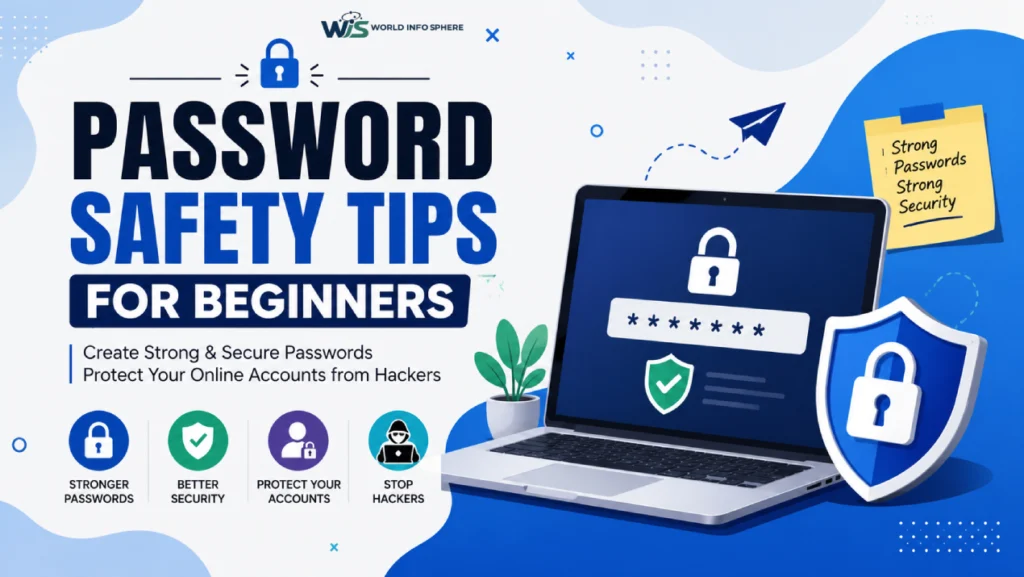
Password Safety Tips for Beginners
Now, let’s go step by step into practical tips that you can start using today.
✔ Tip 1: Use Long Passwords (12+ Characters)
A short password is like a small lock — easy to break. Always try to create passwords that are at least 12 characters long.
Example:
❌ Bad: bharat123
✔ Good: BHarat@SkyBlue2026!
Long passwords take significantly more time for hackers to crack.
✔ Tip 2: Mix Letters, Numbers & Symbols
A strong password should feel random and complex.
Example: BhArat@92Cloud#Secure
Mixing different characters makes it harder for hacking tools to guess.
✔ Tip 3: Avoid Personal Information
Never use:
- Your name
- Birthdate
- Phone number
- Pet names
Hackers often try this first because this information is easy to find on social media.
✔ Tip 4: Don’t Use the Same Password Everywhere
This is one of the biggest beginner mistakes.
If one account gets hacked, all your accounts become unsafe.
To learn how hackers target weak systems, read:
How to Protect Your Phone from Hackers (Complete Guide)
✔ Tip 5: Use Passphrases (Easy but Strong)
A passphrase is a combination of random words that you can remember easily.
Example: ILoveworldinfoSphere@Information2026
It is easy for you, but very hard for hackers.
✔ Tip 6: Enable Two-Factor Authentication (2FA)
Even if someone gets your password, 2FA adds an extra layer of security.
It usually sends a code to your phone or email before login.
This small step can save your entire account.
✔ Tip 7: Use a Password Manager (Optional but Powerful)
Remembering many strong passwords is difficult. That’s where password managers help.
They:
- Store passwords securely
- Generate strong passwords
- Auto-fill login details
Common Mistakes Beginners Make
Many people think their password is strong, but they still make mistakes:
- Using “123456” or “password.”
- Repeating the same password everywhere
- Ignoring security warnings
- Clicking unknown login links
If you want to understand fake login attacks better, read:
What is a phishing email?
Phishing emails are one of the most common ways hackers steal passwords.
Tools That Can Help You Stay Safe
Here are some helpful tools beginners can use:
- Google Password Manager
- LastPass / 1Password
- Random password generator tools
Also, make sure your internet connection is secure. You can learn more here: How to Secure Your WiFi Router from Hackers
Understanding Modern Cyber Safety
Today, cyber safety is not just about passwords. Technology is evolving fast.
You should also explore:
What Is AI Security? A Complete Guide
Cybersecurity: Definition, Types, Threats, Trends, and Best Practices
How to Stay Safe Online in 2026
Best Cyber Security AI Tools: AI-Powered Security Solutions Guide
These topics will give you a complete understanding of online safety in today’s AI-powered world.
Common Mistakes Beginners Should Avoid
Let’s quickly summarize what NOT to do:
- Don’t reuse passwords
- Don’t write passwords on notes or phone
- Don’t click on unknown links
- Don’t ignore login alerts
Small mistakes can lead to big losses.
FAQs – Password Safety Tips for Beginners
What are the best password safety tips for beginners?
The best password safety tips for beginners include using long passwords (at least 12 characters), mixing letters, numbers, and symbols, avoiding personal information, and using different passwords for each account. Enabling two-factor authentication also improves security.
How do I create a strong password that cannot be hacked?
To create a strong password that cannot be hacked, use a random combination of uppercase letters, lowercase letters, numbers, and special characters. Avoid using names, birthdays, or common words. Example: Bharat@Sky2026!Secure.
What is the easiest way to remember strong passwords?
The easiest way is to use a passphrase. Combine random words with symbols and numbers, such as ILoveCoffee@Morning2026. This type of password is strong but still easy to remember.
Why is password safety important for online accounts?
Password safety is important because weak passwords can lead to hacking, identity theft, and loss of personal data. Hackers often target users who reuse simple passwords across multiple websites.
What are common mistakes beginners make in password security?
Beginners often make mistakes like using simple passwords (123456), reusing the same password everywhere, or including personal details like names and birthdays. These mistakes make accounts easy to hack.
What makes a password strong and secure?
A strong password is long, unique, and unpredictable. It should not contain personal information and should include a mix of letters, numbers, and symbols for maximum security.
How often should I change my passwords?
It is recommended to change passwords only when necessary, such as after a data breach or suspicious activity. Regularly updating weak passwords improves overall account security.
Can password managers help beginners stay safe?
Yes, password managers help beginners by generating strong passwords, storing them securely, and preventing password reuse. This makes online security much easier and safer.
Also read this article:
What is Virtual Reality (VR) ?: Explore the Future of Digital Technology
How to earn money using AI Tools? Amazing Tips 2026
Best AI Image Generator Tools for Designers
Future of the Digital World: How AI and Smart Technology Are Shaping Tomorrow
Top 10 Free AI Tools for Students
Conclusion
In today’s digital world, your password is not just a key — it is your identity. If you protect it well, you protect your entire online life.
For beginners, the goal is simple:
- Use strong and unique passwords
- Enable extra security like 2FA
- Stay aware of phishing and hacking tricks
If you start following these password safety tips for beginners, you will already be ahead of most internet users.