Table of Contents
Introduction
Imagine you have created an amazing website. You spent hours writing helpful articles, designing beautiful pages, and making sure everything looks professional. After publishing your website, you expect visitors to start arriving.
But days pass.
Then weeks.
And almost nobody visits your website.
This is the reality many beginners face. The internet contains billions of web pages. Even if your content is excellent, people cannot benefit from it if they cannot find it. This is where SEO becomes important. SEO, or Search Engine Optimization, helps search engines understand your content and show it to the right audience. It is one of the most powerful digital marketing strategies because it allows you to attract visitors without paying for advertisements every day. Whether you run a blog, an online store, a business website, or a personal portfolio, understanding SEO can help you reach more people and grow your online presence.
Interestingly, many businesses combine SEO with other marketing methods. For example, companies that understand digital marketing strategies often use SEO alongside content marketing and social media campaigns. If you’re new to online marketing, you may also want to read our guide on What Is Digital Marketing? Benefits, Types, and How It Works to understand how SEO fits into the bigger marketing picture.
In this guide, you will learn what SEO is, how search engines work, different types of SEO, and how beginners can start improving their rankings on Google.
What Is SEO and How Does It Work?
SEO stands for Search Engine Optimization. It is the process of improving a website so that search engines like Google can understand its content and display it in relevant search results. In simple words, SEO helps your website appear when people search for information related to your content.
For example:
If someone searches:
- What is digital marketing
- Best freelancing websites
- How to earn money from Instagram
- Affiliate marketing for beginners
Google tries to show the most useful pages for those searches.
SEO helps convince Google that your page deserves to appear among those results.
The better your SEO, the greater your chances of attracting organic traffic.
Organic traffic means visitors who find your website naturally through search engines rather than through paid advertisements.
Why Is SEO Important?
Many beginners believe creating content is enough.
Unfortunately, that is not how the internet works.
Every day, thousands of new articles are published. Search engines need a way to determine which pages deserve visibility.
SEO helps solve this problem.
Here are some major benefits of SEO.
Increased Website Traffic
When your website ranks higher in search results, more people can find your content.
A page ranking on the first page of Google often receives significantly more traffic than pages on later pages.
Builds Trust and Credibility
Think about your own behavior.
When you search on Google, do you trust results on the first page or the tenth page?
Most people trust websites that appear higher in search results.
Good SEO helps establish authority and credibility.
Cost-Effective Marketing
Paid advertising stops generating traffic when your budget runs out.
SEO can continue bringing visitors for months or even years after content is published.
This makes SEO one of the highest-return marketing strategies available today.
Helps Businesses Grow
Whether you are selling products, offering services, or sharing information, SEO helps connect you with people actively searching for what you provide.
Better User Experience
Modern SEO is not just about rankings.
Google rewards websites that provide:
- Fast loading speeds
- Mobile-friendly design
- Helpful content
- Easy navigation
As a result, SEO often improves the overall user experience.
How Search Engines Work
Before learning SEO techniques, it helps to understand how search engines operate.
Google generally follows three major processes.
1. Crawling
Google uses automated programs called crawlers or spiders.
These bots travel across the internet and discover web pages.
When Google finds a new article, it reads the page and collects information.
2. Indexing
After crawling a page, Google stores the information in its database.
This process is called indexing.
If a page is not indexed, it cannot appear in search results.
3. Ranking
When someone performs a search, Google evaluates millions of indexed pages.
It then ranks pages according to relevance, quality, authority, and user experience.
The pages Google believes are most useful appear higher in search results.
A Real-Life Example of SEO
Imagine you own a bakery.
You create a website and publish an article title:
“Best Chocolate Cake Recipe for Beginners”
Without SEO, Google may struggle to understand your page.
With SEO, you:
- Use relevant keywords
- Write helpful content
- Optimize images
- Improve page speed
- Add internal links
Now Google better understands your content and may rank it when users search for chocolate cake recipes.
Types of SEO Explained
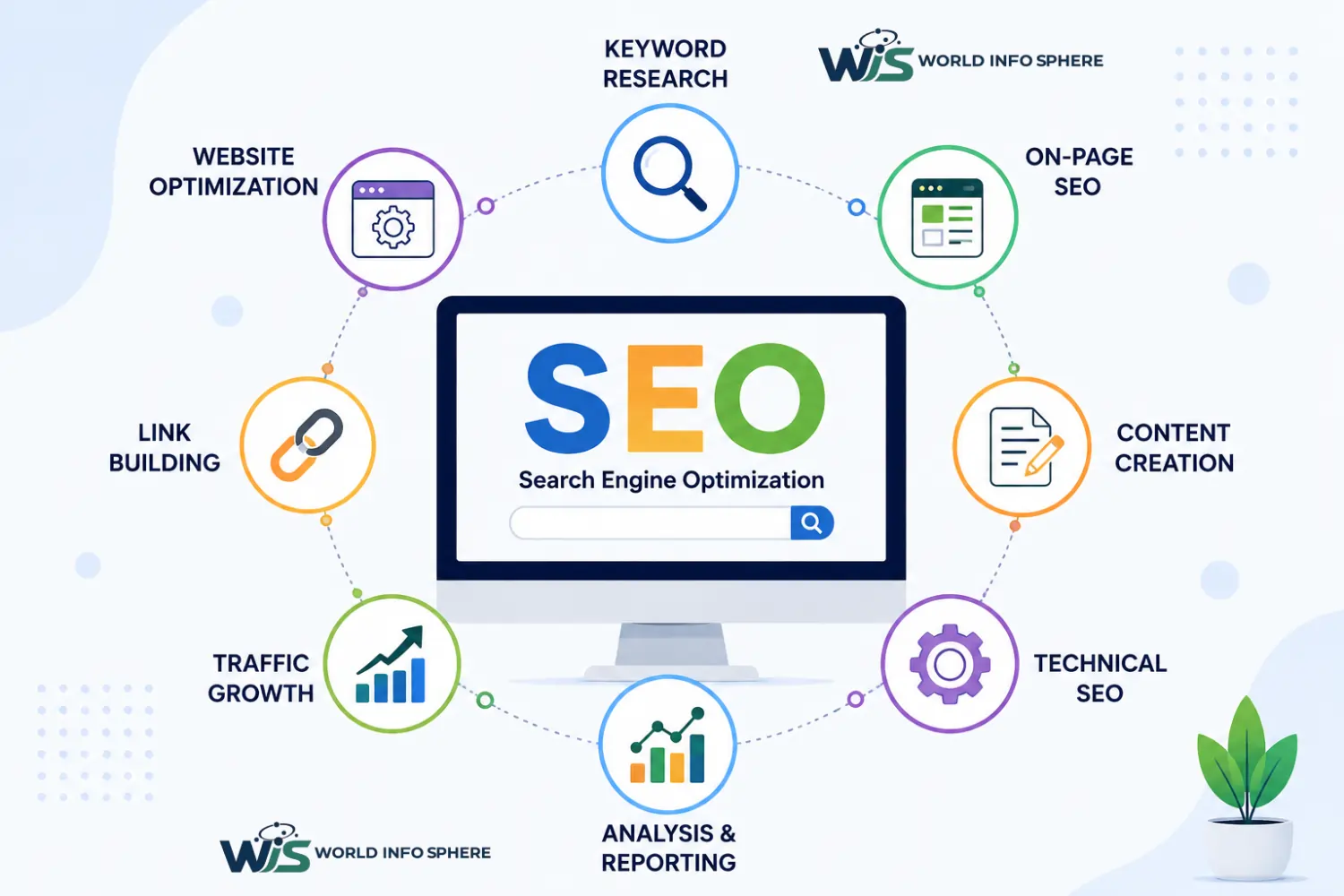
SEO is generally divided into three main categories.
On-Page SEO
On-page SEO refers to everything you do directly on your website.
Examples include:
- Optimizing titles
- Using headings properly
- Writing quality content
- Adding internal links
- Optimizing images
- Improving readability
On-page SEO helps search engines understand your content.
Off-Page SEO
Off-page SEO focuses on actions taken outside your website.
The most important example is backlinks.
A backlink occurs when another website links to your content.
Google often sees backlinks as signals of trust and authority.
For example, if a respected marketing website links to your article, Google may view your content as more credible.
Technical SEO
Technical SEO focuses on website performance and structure.
Important areas include:
- Website speed
- Mobile responsiveness
- HTTPS security
- XML sitemaps
- Structured data
- Crawlability
Technical SEO helps search engines access and understand your website efficiently.
What Are Keywords?
Keywords are the words and phrases people type into search engines.
For example:
- What is SEO
- SEO for beginners
- Learn SEO step by step
- How to rank on Google
Keywords help connect users with relevant content.
Choosing the right keywords is one of the most important parts of SEO.
Understanding Search Intent
Modern SEO is not only about keywords. Google also wants to understand user intent. Search intent refers to the reason behind a search query.
For example:
Someone searching “What is SEO?” wants information.
Someone searching “SEO agency near me” wants a service.
Someone searching “best SEO tools” wants recommendations.
Successful SEO content satisfies the user’s intent.
Why Content Matters in SEO
Google’s primary goal is to provide helpful information.
That is why high-quality content remains one of the strongest ranking factors.
Good SEO content should:
- Answer user questions
- Be easy to read
- Provide accurate information
- Offer practical examples
- Stay updated
Today, many successful creators combine SEO with social media strategies to expand their reach. For example, businesses using Facebook Marketing with AI: The Complete Guide often create SEO-friendly blog content and promote it through Facebook for additional traffic.
Similarly, marketers who understand Social Media Management with AI: Complete Guide for 2026 often use social platforms to support their SEO efforts by increasing visibility and audience engagement.
How to Do SEO Step by Step
Learning SEO may seem overwhelming at first because there are many terms, tools, and strategies involved. However, if you break SEO into simple steps, it becomes much easier to understand.
The goal of SEO is not to trick Google. The goal is to create the best possible experience for users while helping search engines understand your content.
Let’s look at the process step by step.
Step 1: Start with Keyword Research
Before writing any article, you need to understand what people are searching for.
Keyword research helps you discover the questions, problems, and topics your audience is interested in.
For example, if you run a digital marketing blog, people may search for:
- What is SEO?
- How does SEO work?
- Digital marketing for beginners
- Affiliate marketing guide
- How to earn money online
Instead of guessing what people want, keyword research gives you actual data.
Good keyword research helps you:
- Understand user needs
- Find content opportunities
- Target the right audience
- Increase organic traffic
Remember, successful SEO starts long before you write your first paragraph.
Step 2: Create Helpful and Original Content
Google’s goal is simple: provide users with the best answer.
This means content quality matters more than ever.
When writing content, focus on helping the reader solve a problem rather than trying to impress search engines.
Ask yourself:
- Does this article answer the user’s question?
- Is the information accurate?
- Does it provide real value?
- Is it easy to understand?
For example, if someone wants to learn online income methods, they may also be interested in our guide on What Is Affiliate Marketing? The Step-by-Step Guide to Making Money, which explains how beginners can start earning commissions through affiliate programs.
Similarly, users interested in social media income opportunities may find value in How to Earn Money from Instagram at Home, where practical monetization methods are explained in detail.
The more useful your content is, the better your chances of ranking.
Step 3: Optimize Your Title
Your title is often the first thing users see in search results.
A strong title can significantly improve click-through rates.
Good SEO titles usually:
- Include the main keyword
- Clearly explain the topic
- Match user intent
- Create curiosity without using misleading clickbait
For example:
“What Is SEO? A Complete Beginner’s Guide to Search Engine Optimization”
This title tells readers exactly what they can expect.
Step 4: Use Proper Headings
Headings make content easier to read.
They help users scan information and help search engines understand page structure.
A well-structured article usually follows this format:
- H1 for the main title
- H2 for major sections
- H3 for subtopics
Clear headings improve readability and user experience, both of which are important ranking factors.
Step 5: Add Internal Links
Internal linking is one of the most overlooked SEO techniques.
When you link one article to another relevant article on your website, you help users discover more content and help search engines understand your site structure.
For example, readers interested in online business opportunities may also benefit from learning How to Create an Account on a Freelancing Platform? Complete Guide.
After creating an account, they can continue with How to Create a Gig (Step-by-Step Process for Beginners) to start attracting clients and generating income.
These internal links improve navigation and encourage visitors to spend more time on your website.
Step 6: Optimize Images
Images improve user experience and make content more engaging.
However, poorly optimized images can slow down your website.
Best practices include:
- Using descriptive file names
- Adding alt text
- Compressing image sizes
- Using modern formats like WebP
For example, instead of naming an image “IMG123.jpg,” use a descriptive name like “seo-guide-for-beginners.jpg.”
This helps both users and search engines understand the image.
Step 7: Improve User Experience
Google wants users to enjoy visiting websites.
If visitors quickly leave your page because it is slow, confusing, or difficult to use, rankings may suffer.
Focus on:
- Fast loading speed
- Mobile-friendly design
- Easy navigation
- Readable fonts
- Clean layouts
Good user experience often leads to better engagement and stronger SEO performance.
On-Page SEO Checklist
On-page SEO refers to all optimization activities performed directly on your website.
Before publishing an article, review the following checklist.
Content Optimization
Your content should:
- Answer the user’s question completely
- Be original and helpful
- Use natural language
- Include relevant examples
- Remain updated
Google increasingly rewards content written for humans rather than search engines.
Keyword Placement
Place your main keyword naturally in:
- Title
- Introduction
- At least one heading
- Meta description
- URL slug
Avoid keyword stuffing.
Repeating the same phrase excessively can hurt readability and user experience.
Internal Linking
Every article should connect to related content.
For example:
Someone learning SEO may also want to understand broader online marketing concepts through What Is Digital Marketing? Benefits, Types, and How It Works.
Relevant internal links improve both SEO and user engagement.
Meta Description
A strong meta description encourages users to click your result. Keep it clear, relevant, and focused on the article’s value.
Off-Page SEO Checklist
Off-page SEO focuses on building trust and authority beyond your website.
Build Quality Backlinks
Backlinks remain one of Google’s strongest ranking signals.
However, quality matters more than quantity.
A few trusted backlinks are often more valuable than hundreds of low-quality links.
Focus on earning links through:
- Helpful content
- Guest posting
- Industry collaborations
- Expert contributions
Build Brand Authority
Google increasingly evaluates website reputation.
Authority grows when:
- People mention your brand
- Users share your content
- Other websites reference your work
The stronger your reputation, the easier it becomes to rank.
Social Media Promotion
While social signals are not direct ranking factors, social media can increase content visibility.
Many marketers use SEO alongside social media strategies.
For example, businesses implementing Facebook Marketing with AI: The Complete Guide often drive additional traffic to SEO-optimized content through Facebook campaigns.
Likewise, companies following Social Media Management with AI: Complete Guide for 2026 frequently use multiple platforms to increase brand awareness and content reach.
Technical SEO Guide
Technical SEO ensures search engines can access, understand, and index your content effectively.
Mobile-Friendly Design
Most internet users browse on smartphones.
Google primarily evaluates the mobile version of websites when determining rankings.
Your website should work smoothly across all screen sizes.
Website Speed
Slow websites frustrate users.
Improving page speed can positively impact both user experience and SEO.
Common speed improvements include:
- Compressing images
- Reducing unnecessary scripts
- Using caching
- Choosing reliable hosting
XML Sitemap
A sitemap helps search engines discover important pages on your website.
Submitting your sitemap through Google Search Console improves crawling efficiency.
HTTPS Security
Secure websites build trust.
Google prefers HTTPS websites because they provide encrypted connections.
If your website still uses HTTP, upgrading should be a priority.
Structured Data
Structured data helps search engines understand page content more clearly.
It can also improve search appearance through rich results.
Common SEO Mistakes to Avoid
Many beginners unknowingly make mistakes that limit their growth.
Publishing Thin Content
Short articles that provide little value rarely perform well.
Focus on depth and usefulness rather than word count alone.
Ignoring Search Intent
Even perfectly optimized content can fail if it does not satisfy user intent.
Always understand why people are searching for a topic.
Keyword Stuffing
Years ago, repeating keywords excessively could improve rankings.
Today, it often produces the opposite effect.
Write naturally and prioritize readability.
Buying Spam Backlinks
Low-quality backlinks can damage your website’s reputation.
Focus on earning trust rather than manipulating rankings.
Neglecting Mobile Users
A poor mobile experience can reduce rankings and increase bounce rates.
Always test pages on mobile devices.
SEO vs SEM
Many beginners confuse SEO and SEM.
SEO focuses on earning organic traffic through optimization.
SEM (Search Engine Marketing) includes paid advertising, such as Google Ads.
SEO:
- Long-term strategy
- Organic traffic
- No cost per click
- Builds authority over time
SEM:
- Immediate visibility
- Paid traffic
- Requires an ongoing budget
- Stops when ads stop
Many successful businesses use both strategies together.
Best SEO Tools for Beginners
Several tools can help you improve your SEO efforts.
Google Search Console
Provides insights into indexing, search performance, and technical issues.
Google Analytics
Helps you understand visitor behavior and traffic sources.
Google Keyword Planner
Useful for keyword research and content planning.
Ahrefs
Popular for backlink analysis and competitive research.
SEMrush
Provides keyword data, audits, and competitor insights.
Ubersuggest
Beginner-friendly SEO research platform.
Remember, tools support SEO. They do not replace quality content.
Latest SEO Trends in 2026
SEO continues to evolve as search engines become smarter.
User Experience Matters More Than Ever
Google increasingly rewards websites that provide positive user experiences.
AI-Assisted Search Is Growing
Search engines now use advanced AI systems to understand context, intent, and content quality more effectively.
This means helpful content is becoming even more important.
Topical Authority Is Increasing
Publishing multiple high-quality articles around one niche often performs better than covering unrelated topics.
For example, a website consistently publishing content about SEO, digital marketing, AI marketing, freelancing, and online business can build stronger topical authority over time.
Authentic Experience Matters
Google increasingly values content that demonstrates real expertise, experience, and practical knowledge.
First-hand insights often outperform generic content.
Also read this article:
What Is Digital Marketing? Benefits, Types, and How It Works
What Is a White Hat Hacker? Complete Guide for Beginners
Best Free VPNs for Safe Browsing in 2026
Conclusion
SEO is much more than ranking higher on Google. It is about helping people find useful information when they need it most.
By understanding keyword research, creating helpful content, optimizing your pages, improving user experience, and building authority, you can steadily grow your website’s visibility and organic traffic.
SEO does not deliver instant results. It requires patience, consistency, and continuous improvement. However, the long-term rewards can be significant.
Whether you are running a blog, growing a business, promoting affiliate products, building a freelancing career, or expanding your digital marketing knowledge, SEO remains one of the most valuable skills you can learn in today’s online world.
Frequently Asked Questions
What does SEO stand for?
SEO stands for Search Engine Optimization.
Is SEO difficult for beginners?
No. The basics are easy to learn, and beginners can gradually build advanced skills through practice.
How long does SEO take to show results?
Most websites begin seeing noticeable improvements within three to six months, although timelines vary depending on competition and content quality.
Is SEO free?
Organic traffic from SEO is free, but some SEO tools and services may require payment.
What is a backlink?
A backlink is a link from another website pointing to your website.
What is the most important SEO factor?
High-quality content that satisfies user intent remains one of the most important ranking factors.
Can I do SEO without coding?
Yes. Most SEO tasks can be performed without advanced coding knowledge.
Does social media help SEO?
Social media can increase visibility, traffic, and brand awareness, which may indirectly support SEO efforts.
Should I focus on SEO or paid ads?
Both can be valuable. SEO provides long-term organic growth, while paid ads deliver faster results.