

Introduction
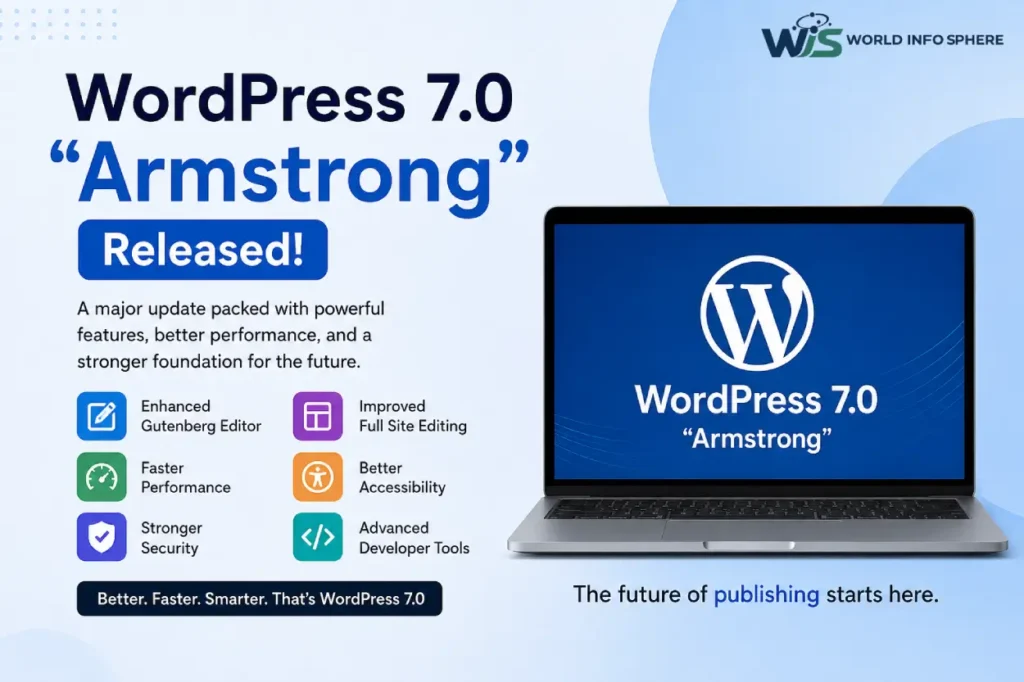
WordPress 7.0 “Armstrong” has officially arrived, introducing one of the most advanced and performance-focused updates in recent years. This latest WordPress release improves the Gutenberg block editor, enhances Full Site Editing (FSE), strengthens website security, boosts overall performance, and introduces modern developer tools designed for the future of digital publishing.
Named after legendary jazz musician Louis Armstrong, WordPress 7.0 continues the platform’s tradition of honoring influential artists while pushing the ecosystem toward a faster, smarter, and more flexible web experience.
Whether you run a personal blog, business website, WooCommerce store, portfolio, media platform, or startup website, WordPress 7.0 delivers meaningful improvements that can improve website management, user experience, SEO performance, and long-term scalability.
What Is WordPress 7.0 “Armstrong”?
WordPress 7.0 is the latest major version of the world’s most popular content management system (CMS). The update mainly focuses on improving website speed, editing flexibility, design customization, accessibility, and developer experience.
This release also prepares WordPress for future AI-powered publishing workflows by introducing cleaner APIs, improved block rendering systems, and modern JavaScript compatibility.
Main Goals of WordPress 7.0
- Faster website performance
- Better Gutenberg editing experience
- Improved Full Site Editing stability
- Enhanced accessibility support
- Stronger website security
- Better developer flexibility
- AI-ready infrastructure
- Improved mobile responsiveness
These improvements help WordPress remain competitive with modern website builders while keeping the platform beginner-friendly and highly customizable.
Understanding WordPress 7.0 Release Candidate 4 (RC4)
Before the official release, WordPress introduced Release Candidate 4 (RC4), a nearly finalized version released for public testing.
The purpose of RC4 was to help developers, plugin creators, and theme authors identify:
- Plugin compatibility issues
- Theme conflicts
- Performance bottlenecks
- Security vulnerabilities
- API integration errors
- Gutenberg editor bugs
This testing phase helped improve the overall stability and reliability of WordPress 7.0 before its final launch.
Main Focus Areas of RC4
- Final bug fixes
- Performance optimization
- Security improvements
- Gutenberg refinements
- Compatibility testing
- Stability enhancements
The RC4 process reflects WordPress’s strong open-source community and collaborative development culture.
Major Features Introduced in WordPress 7.0
Improved Gutenberg Block Editor
The Gutenberg editor receives major usability and performance improvements in WordPress 7.0.
The editing experience now feels significantly smoother and faster, especially when managing:
- Long-form blog articles
- Complex layouts
- Media-heavy pages
- Dynamic block content
New Gutenberg Improvements
- Faster drag-and-drop functionality
- Better block organization
- Improved spacing controls
- Enhanced flex and grid layout tools
- Cleaner editing interface
- Better mobile editing experience
- Improved editor responsiveness
Content creators can now design modern layouts directly inside WordPress without heavily depending on third-party page builders.
This update is highly beneficial for bloggers, agencies, businesses, and content creators looking for simplified website management.
Better Full Site Editing (FSE) Experience
Full Site Editing becomes more practical and stable in WordPress 7.0.
Users can now visually customize:
- Headers
- Footers
- Templates
- Navigation menus
- Typography settings
- Global styles
- Page layouts
This significantly reduces the need for manual coding and makes professional website design easier for beginners.
Benefits of Improved Full Site Editing
- Easier website customization
- More consistent branding
- Better design flexibility
- Reduced dependency on page builders
- Faster workflow management
Block themes benefit the most because they fully support reusable patterns, dynamic templates, and global styles.
Faster Website Performance
Performance optimization is one of the strongest highlights of WordPress 7.0.
The update introduces several backend enhancements designed to improve loading speed and reduce unnecessary resource usage.
Performance Enhancements in WordPress 7.0
- Reduced unnecessary CSS loading
- Improved database queries
- Better caching behavior
- Optimized block rendering
- Faster editor responsiveness
- Improved lazy loading for images
- Better mobile optimization
These improvements help websites achieve:
- Faster loading times
- Better user experience
- Improved Core Web Vitals
- Lower bounce rates
- Stronger SEO rankings
Website speed has become a critical ranking factor in Google Search, making these performance upgrades extremely valuable for SEO-focused websites.
For more digital growth strategies, you can also read:
Enhanced Security Improvements
Security continues to remain a major focus in WordPress 7.0.
The release introduces stronger protection systems designed to reduce vulnerabilities and improve overall website safety.
Security Features Included in WordPress 7.0
- Improved password hashing
- Better REST API protection
- Enhanced validation systems
- Reduced spam vulnerabilities
- Improved authentication handling
- Stronger backend security architecture
Although website security also depends on quality hosting and secure plugins, WordPress 7.0 strengthens the platform’s overall security foundation.
If you want to learn more about online safety and website protection, also read:
Accessibility Enhancements
WordPress 7.0 includes several important accessibility improvements designed to create more inclusive digital experiences.
Accessibility Improvements
- Better keyboard navigation
- Improved screen reader compatibility
- Enhanced admin interface clarity
- Better contrast support
- Improved form usability
- Easier navigation for assistive technologies
Accessibility improvements not only support users with disabilities but also enhance the overall user experience. They can improve:
- Website usability
- Mobile experience
- User engagement
- SEO performance
Search engines increasingly prioritize websites that provide strong user experiences for all users.
AI-Ready Infrastructure and Future Publishing
One of the most exciting aspects of WordPress 7.0 is its preparation for AI-powered workflows and modern publishing systems.
The platform now includes:
- Cleaner APIs
- Better block rendering systems
- Improved content structure handling
- Modern JavaScript compatibility
- Enhanced developer flexibility
These backend improvements can support future AI integrations such as:
- AI content generation
- AI SEO optimization
- Automated publishing systems
- Smart content recommendations
- AI-powered website builders
- Workflow automation tools
If you are interested in AI technologies and the latest digital publishing trends, you may also want to explore the following topics:
- What is Google Gemini AI?
- Will AI Replace Human Jobs? | AI Jobs Future
- Best AI Resume Builder Tools for Freshers Free ATS Resume Builders
While WordPress 7.0 is not fully AI-driven yet, it creates a strong technical foundation for the future of intelligent publishing.
Theme Development Improvements
Theme developers receive several major improvements in WordPress 7.0.
Improved Global Styles
Global Styles are now more flexible and easier to manage.
Developers can centrally control:
- Typography
- Colors
- Spacing
- Layout settings
- Design consistency
This improves workflow efficiency and simplifies large-scale website management.
Better Reusable Block Patterns
Reusable patterns now provide:
- Faster layout creation
- Better design consistency
- Easier content reuse
- Improved productivity
Block-based themes continue becoming the future of WordPress design, and version 7.0 accelerates that transition.
New Developer Tools in WordPress 7.0
Developers receive several technical improvements that modernize WordPress development.
Key Developer Features
- Better Interactivity API support
- Improved hooks and filters
- Enhanced REST API endpoints
- Modern JavaScript compatibility
- Better block development tools
- Cleaner coding architecture
- Improved scalability support
These upgrades help developers build:
- Faster websites
- More interactive experiences
- Scalable web applications
- Modern WordPress plugins
- Advanced Gutenberg blocks
WordPress 7.0 provides a more future-ready development environment for agencies and professional developers.
The Future of Gutenberg and Modern Publishing
One of the biggest discussion points surrounding WordPress 7.0 is the future of the Gutenberg block editor.
Gutenberg is no longer just a simple content editor. It is evolving into a complete visual website-building ecosystem that allows users to create, customize, and manage websites more efficiently.
The future of Gutenberg is expected to focus on:
- AI-assisted content creation
- Better collaborative editing
- Smarter design workflows
- Faster content management
- Improved accessibility
- Advanced block customization
- Real-time editing improvements
Industry experts believe Gutenberg will eventually become the central foundation for modern no-code and low-code website development.
If you regularly follow digital trends and gaming updates, you may also like:
SEO Benefits of WordPress 7.0
WordPress 7.0 introduces several improvements that can positively impact SEO.
Major SEO Advantages
Faster Website Speed
Performance optimizations improve:
- Core Web Vitals
- Page loading speed
- Mobile responsiveness
- User engagement
Cleaner Code Structure
Cleaner HTML output helps search engines crawl websites more efficiently.
Better Mobile Experience
Improved mobile optimization supports mobile-first indexing.
Accessibility Improvements
Accessibility enhancements indirectly improve SEO through better usability and user experience.
Better Plugin Compatibility
SEO plugins like Rank Math SEO and Yoast SEO can perform more efficiently with optimized WordPress infrastructure.
Combined with proper SEO strategies, WordPress 7.0 creates a stronger foundation for long-term organic growth.
Should You Upgrade to WordPress 7.0?
For most modern websites, upgrading to WordPress 7.0 is highly recommended.
You Should Upgrade If:
- You regularly use Gutenberg
- You use block-based themes
- You want better website performance
- You care about SEO optimization
- You need improved accessibility
- You want better long-term compatibility
You Should Test First If:
- Your site uses outdated plugins
- Your website includes heavy custom coding
- Your theme is old or unsupported
- You rely on custom integrations
Testing updates on a staging environment before updating live websites is strongly recommended.
Important Steps Before Updating to WordPress 7.0
Before upgrading, follow these important precautions.
Step-by-Step Upgrade Checklist
1. Create a Full Website Backup
Always back up:
- Website files
- Database
- Themes
- Plugins
- Media uploads
2. Update Plugins and Themes
Ensure all installed plugins and themes support WordPress 7.0.
3. Verify PHP Compatibility
PHP 8.1 or higher is recommended for optimal compatibility and performance.
4. Use a Staging Environment
Test updates safely before applying them to live websites.
5. Check Website Functionality
After updating, verify:
- Contact forms
- Checkout systems
- SEO plugins
- Custom features
- Mobile responsiveness
- Website speed
These precautions help reduce downtime and compatibility issues.
Pros of WordPress 7.0 “Armstrong”
- AI-powered tools for smarter content creation
- Faster and cleaner dashboard experience
- Improved block editor with better customization
- Enhanced website performance and speed
- Better security and stability updates
- More beginner-friendly interface
- Helpful features for bloggers and developers
Cons of WordPress 7.0 “Armstrong”
- Some older plugins may face compatibility issues
- Beginners may need time to learn new AI features
- Certain themes might require updates
- Extra features can slightly increase server usage
- New interface changes may feel confusing at first
Recommended External Resources
For additional technical information and official documentation, refer to these trusted resources:
- Official WordPress Website: https://wordpress.org
- Gutenberg Developer Documentation: https://developer.wordpress.org/block-editor
- Google Core Web Vitals Guide: https://web.dev/vitals
- WordCamp Official Website: https://central.wordcamp.org
- PHP Official Website: https://www.php.net
External authority links improve SEO trust signals and provide additional value to readers.
Also read this article:
How to earn money using AI Tools? Amazing Tips 2026
Best AI Video Editing Tools | Top AI Video Editor, AI Reel Maker & AI Shorts Maker
Types of Artificial Intelligence (AI):
What is Affiliate Marketing? The Step-by-Step Guide to Making Money
What is Phishing Email? How to identify it and easy ways to protect yourself
Final Thoughts
WordPress 7.0 “Armstrong” is more than a routine update. It represents a major step toward a faster, smarter, and future-ready publishing platform.
The improvements to Gutenberg, Full Site Editing, performance optimization, accessibility, security, and developer tools show that WordPress continues evolving alongside modern web standards and AI-driven technologies.
For bloggers, businesses, developers, agencies, and digital creators, WordPress 7.0 offers a more polished and scalable experience designed for the future of digital publishing.
If your website relies on WordPress for growth, SEO, and long-term visibility, upgrading to WordPress 7.0 can help improve performance, usability, scalability, and user engagement.
Frequently Asked Questions (FAQs)
What is WordPress 7.0 “Armstrong”?
WordPress 7.0 “Armstrong” is the latest major WordPress update that introduces Gutenberg editor improvements, Full Site Editing enhancements, better website performance, stronger security, accessibility upgrades, and AI-ready infrastructure for modern web publishing.
What are the new features in WordPress 7.0?
WordPress 7.0 includes several major features such as:
1. Improved Gutenberg block editor
2. Faster website performance
3. Better Full Site Editing (FSE)
4. Enhanced accessibility support
5. Stronger security systems
6. Improved developer tools
7. AI-ready publishing infrastructure
These updates help improve website speed, user experience, and SEO performance.
Is WordPress 7.0 good for SEO?
Yes, WordPress 7.0 is highly beneficial for SEO because it improves:
1. Website loading speed
2. Core Web Vitals
3. Mobile responsiveness
4. Cleaner code structure
5. Accessibility
6. User experience
These factors can positively impact Google rankings and organic traffic growth.
Should I upgrade to WordPress 7.0?
Most modern websites should upgrade to WordPress 7.0 after checking plugin and theme compatibility. The update improves security, performance, Gutenberg editing, and long-term website scalability.
What is Gutenberg in WordPress 7.0?
Gutenberg is WordPress’s block-based editor that allows users to create and customize content visually. In WordPress 7.0, Gutenberg becomes faster, smoother, and more flexible with improved layout controls and editing performance.
What is Full Site Editing (FSE) in WordPress?
Full Site Editing (FSE) allows users to customize entire website layouts including headers, footers, templates, typography, and navigation menus directly inside the WordPress editor without coding.
How does WordPress 7.0 improve website performance?
WordPress 7.0 improves performance through:
1. Reduced CSS loading
2. Better caching behavior
3. Optimized block rendering
4. Faster database queries
5. Improved lazy loading
6. Better mobile optimization
These enhancements help websites load faster and improve user experience.
Is WordPress 7.0 secure?
Yes, WordPress 7.0 introduces multiple security improvements including:
1. Stronger password hashing
2. Better REST API protection
3. Improved validation systems
4. Enhanced authentication handling
5. Reduced spam vulnerabilities
However, website owners should still use secure hosting, trusted plugins, and regular updates.
Does WordPress 7.0 support AI tools?
WordPress 7.0 introduces AI-ready infrastructure with cleaner APIs and better content handling systems that can support future AI-powered publishing, SEO tools, automation workflows, and smart content recommendations.
You can also read:
Best AI Image Generator Tools for Designers
Top 10 Free AI Tools for Students
Is WordPress 7.0 beginner-friendly?
Yes, WordPress 7.0 is designed to be more beginner-friendly with visual editing tools, improved Full Site Editing, better block management, and easier website customization options.
Which PHP version is recommended for WordPress 7.0?
PHP 8.1 or higher is recommended for better performance, security, and compatibility with WordPress 7.0.
Can WordPress 7.0 improve website speed?
Yes, WordPress 7.0 improves website speed through optimized resource loading, improved rendering systems, better database handling, and mobile performance enhancements.
What are the SEO benefits of Gutenberg editor?
The Gutenberg editor helps improve SEO by creating cleaner HTML structure, faster loading pages, responsive layouts, and better content organization for search engines.
Can I use WordPress 7.0 for WooCommerce stores?
Yes, WordPress 7.0 works well with WooCommerce stores and improves overall performance, user experience, mobile optimization, and website scalability for eCommerce businesses.
Is WordPress 7.0 good for blogging?
Yes, WordPress 7.0 is excellent for blogging because it offers:
1. Better content editing
2. Faster website performance
3. Improved mobile responsiveness
4. SEO-friendly structure
5. Better design flexibility
Bloggers can create professional and modern content experiences more efficiently.
What are the best SEO plugins for WordPress 7.0?
Popular SEO plugins compatible with WordPress 7.0 include:
1. Rank Math SEO
2. Yoast SEO
3. All in One SEO
These plugins help optimize websites for search engines and improve organic rankings.
Can I use WordPress 7.0 for WooCommerce stores?
Yes, WordPress 7.0 works well with WooCommerce stores and improves overall performance, user experience, mobile optimization, and website scalability for eCommerce businesses.
How does WordPress 7.0 help developers?
WordPress 7.0 provides developers with:
1. Better Interactivity API support
2. Improved REST API endpoints
3. Modern JavaScript compatibility
4. Better block development tools
5. Improved scalability support
These features help developers build faster and more interactive websites.